Gades MIDI Toolbar — Feature Guide
Gades MIDI is a toolbar add-on for Fender Studio Pro that gives composers and orchestrators a set of MIDI editing tools built specifically for writing and polishing orchestral and cinematic music. It adds a dockable toolbar panel and a matching menu of commands, organized into a few clear groups: trill generation, note selection, velocity and dynamics shaping, divisi writing, chord generation, note-timing humanization, orchestration helpers, sound variation (articulation) management, and track organization.
Every tool below can be reached either from the toolbar panel or from its Functions menu, and most of them work directly on whatever notes you currently have selected.
You can download Gades MIDI Tool and put it into Program Files\Fender\Studio Pro 8\Scripts\ folder.
Tested on Fender Studio Pro 8.1.2.
Contents
- Getting Around the Toolbar
- Trill Tools
- Note Selection Tools
- Velocity & Dynamics Tools
- Divisi Tools
- Chord Generation
- Humanizing Note Timing
- Orchestration Helpers
- Sound Variation (Articulation) Tools
- Track Organization
Getting Around the Toolbar
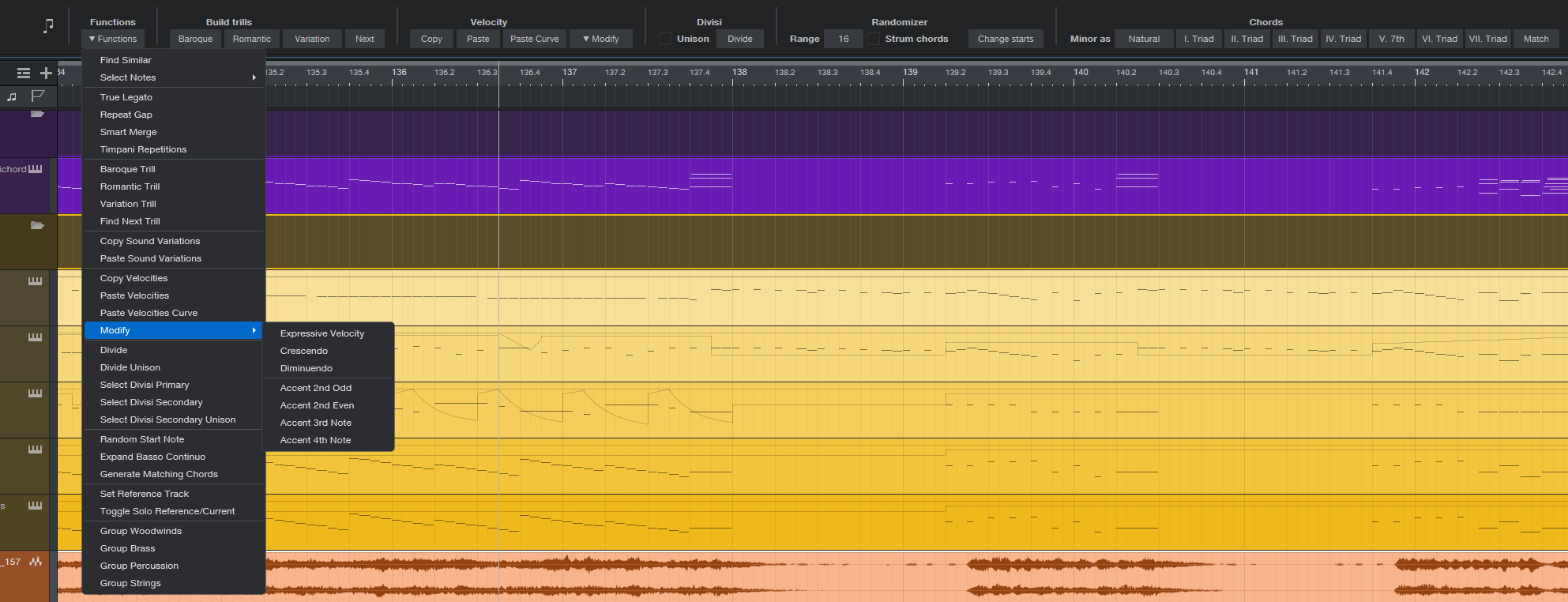
The Gades MIDI panel sits alongside your other Studio One toolbars and groups its buttons into labeled sections — Build trills, Velocity, Divisi, Randomizer, and Chords — so related tools are always within a click of each other. A Functions menu on the same panel lists every available command, including a few tools that are menu-only, grouped the same way. A second dropdown, Modify, is dedicated specifically to velocity-shaping tools and mirrors a section of the Functions menu, so you can reach the same dynamics tools from whichever is more convenient.
Trill Tools
These tools generate and manage ornamental trills — the rapid alternation between two adjacent notes traditionally used to decorate a melody.
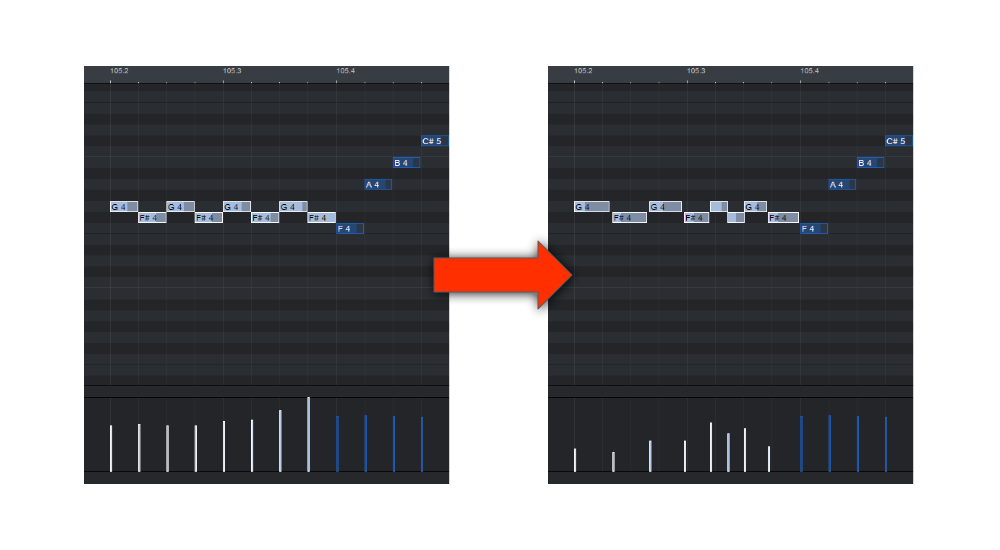
- Baroque Trill — Builds a trill in a Baroque ornamentation style over a selected note or short passage, with the even, measured character typical of that period.
- Romantic Trill — Builds a trill shaped with the more expressive, flexible phrasing associated with Romantic-era ornamentation.
- Variation Trill — Builds a trill based on the character of an existing note or passage, and drops a small marker at the start of the trill so it can be found again instantly later, even after you have moved on to other parts of the piece.
- Find Next Trill — Automatically finds and selects the next trill-like passage in your track, so you don't have to hunt for it by eye or by ear.
Note Selection Tools
A family of tools for quickly selecting exactly the notes you want to work on, based on criteria other than simply clicking and dragging.
- Select Notes by real length (Ultra Short, Very Short, Short, Medium Short, Medium, Medium Long, Long) — Selects notes based on how long they actually sound, rather than their written rhythm. This is especially useful for applying a matching articulation to every note of a similar real-world duration, regardless of how it happens to be notated.
- Select Notes at Trill HT / WT Marker — Instantly selects every note that starts exactly where a marker from Variation Trill was placed, anywhere in the song, so you can quickly grab and adjust just the generated trill notes.
- Find Similar — Looks at the pitch shape, note lengths, and spacing of your current selection and finds the next passage in the piece that matches the same pattern, which is handy for locating a recurring motif or figure.
Velocity & Dynamics Tools
Tools for shaping how loud or soft your notes play, either by copying an existing performance's dynamics or by generating a new dynamic shape automatically.
- Copy Velocities and Paste Velocities — Copy the exact velocity (loudness) values from one set of notes and apply them to another, useful for transferring a performance's dynamic feel onto a different passage.
- Paste Velocities Curve — Pastes velocities as a smooth overall curve rather than exact one-to-one values, which works better when the source and target selections don't line up note-for-note.
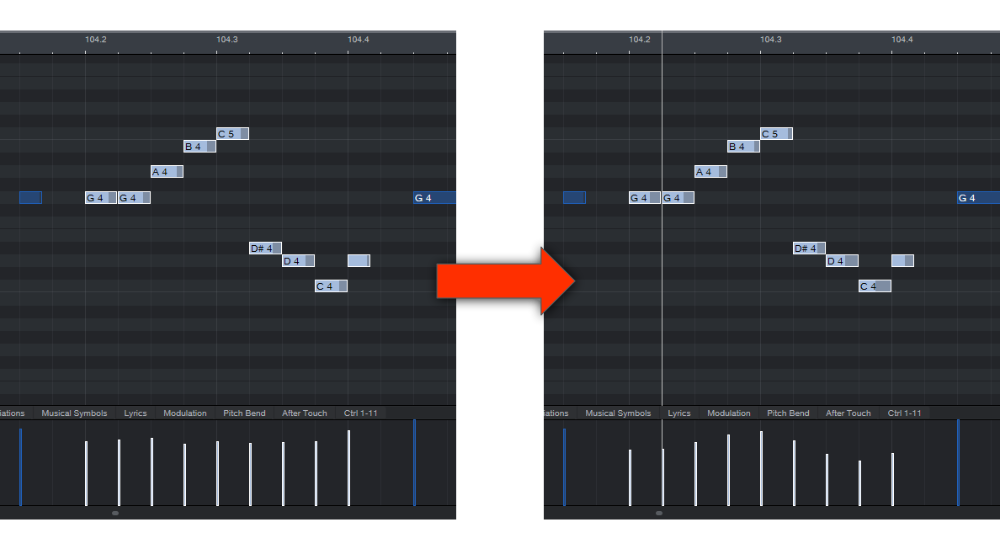
- Expressive Velocity — Automatically shapes the velocity of a selection based on its own melodic contour, so higher notes and lower notes are given naturally different dynamics instead of sounding flat and mechanical.
- Crescendo and Diminuendo — Gradually increase or decrease velocity across a selection from beginning to end, creating an automatic swell or fade.
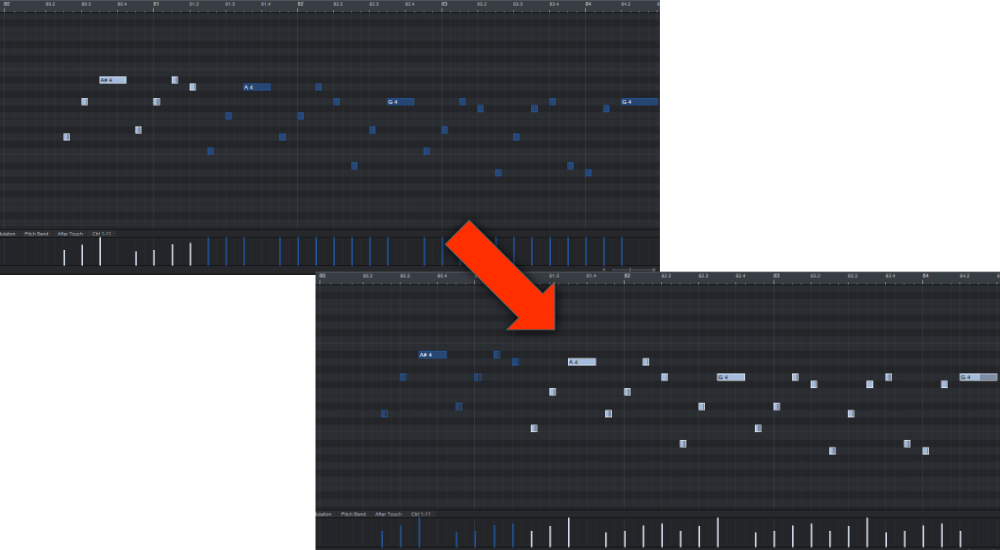
- Accent 2nd Odd, Accent 2nd Even, Accent 3rd Note, Accent 4th Note — Automatically boost the volume of every second, third, or fourth note in a selection. Useful for simulating natural metrical accents, bowing accents in strings, or any regularly recurring emphasis.
- Range % — A single toolbar field that controls how strong Expressive Velocity, Crescendo, Diminuendo, and all four Accent tools are — how wide a crescendo or diminuendo swings, and how much an accented note is boosted. Raise or lower it to fit the passage you're working on, instead of getting a single fixed amount every time.
Divisi Tools
Tools for splitting chords or unison passages across two tracks, for writing divisi string (or other section) parts.
- Divide — Splits a chord across two tracks, placing the higher notes on one track and the lower notes on the other.
- Divide Unison — Splits a doubled unison passage across two tracks, for when the same line is meant to be shared between two groups of players.
- Select Divisi Primary / Select Divisi Secondary / Select Divisi Secondary Unison — Quickly reselect just one half of a previously divided passage, so you can adjust it on its own.
Chord Generation
- Generate Matching Chords — Builds a full seven-chord harmonization of a scale, one chord for every degree, with the chord type (triad, seventh, sus2, sus4) freely adjustable for each individual degree, and a choice between natural or harmonic minor. Useful as a quick harmonic sketch or starting point to build on.
Humanizing Note Timing
- Random Start Note — Slightly randomizes the starting position of notes, with an adjustable amount and an optional "strum" mode that spreads a chord's notes out in time one after another, like a guitar or harp strum, instead of striking perfectly together. Great for taking the mechanical edge off quantized chords and passages.
Orchestration Helpers
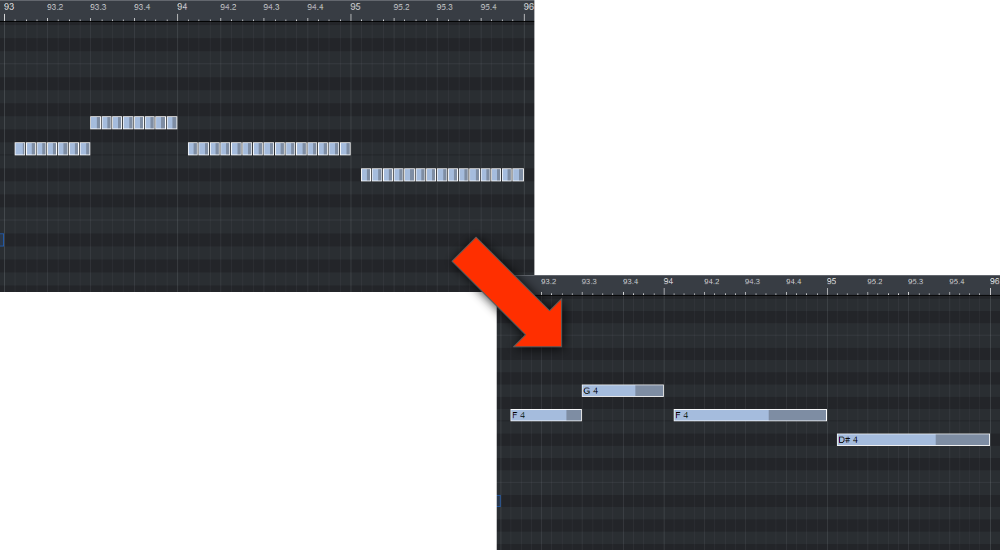
- Expand Basso Continuo — Automatically expands a simple bass line into a fuller continuo-style accompaniment.
- Timpani Repetitions — Automatically alternates repeated same-pitch notes between two "mallets" an octave apart, mimicking the round-robin sample switching that real timpani and mallet percussion libraries use, for a more realistic repeated-note performance.
- Repeat Gap — Adjusts the small gap left between repeated notes at the same pitch.
- Smart Merge — Merges a run of consecutive notes at the same pitch into a single longer note, where appropriate.
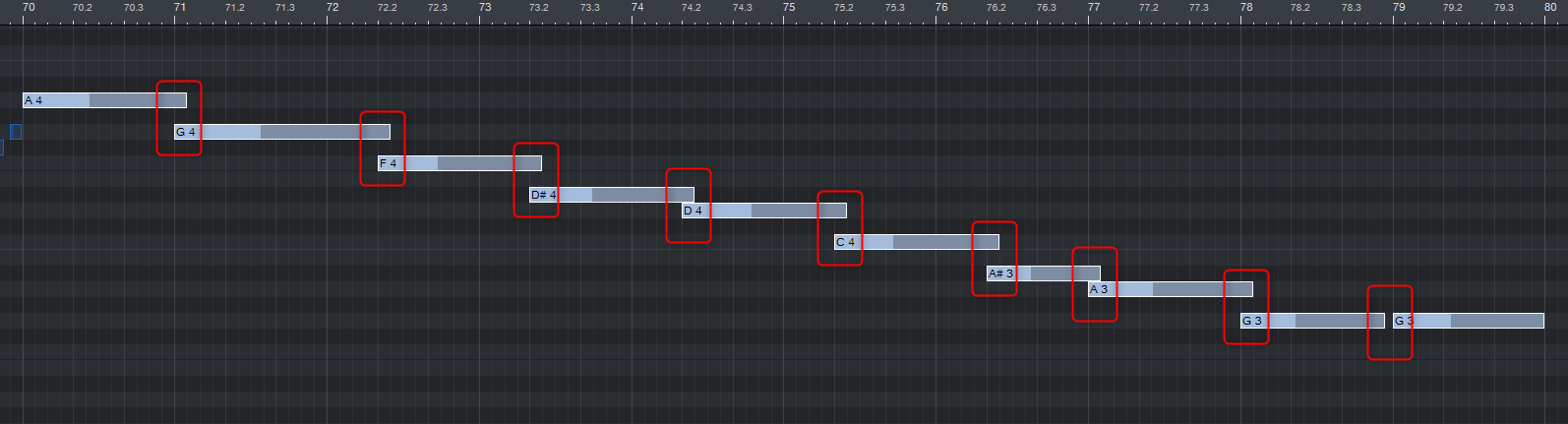
- True Legato — Adjusts note lengths so consecutive notes connect smoothly with no gap between them, for a seamless legato performance.
Sound Variation (Articulation) Tools
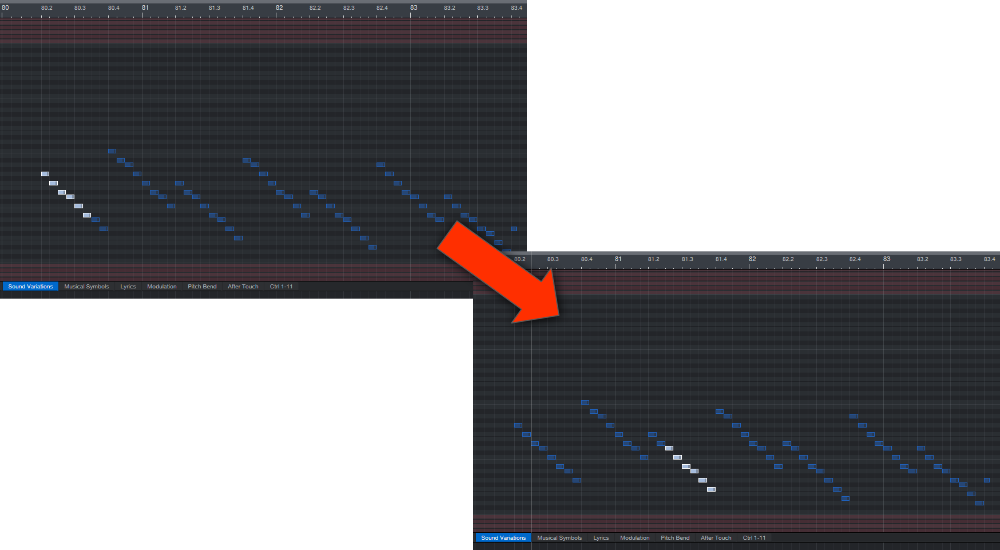
- Copy Sound Variations and Paste Sound Variations — Copy the articulation (playing technique) assigned to one set of notes and apply the same articulations to a different set of notes elsewhere. This is especially useful when moving a passage between different sample libraries, since each library tends to name and organize its own articulations differently.
Track Organization
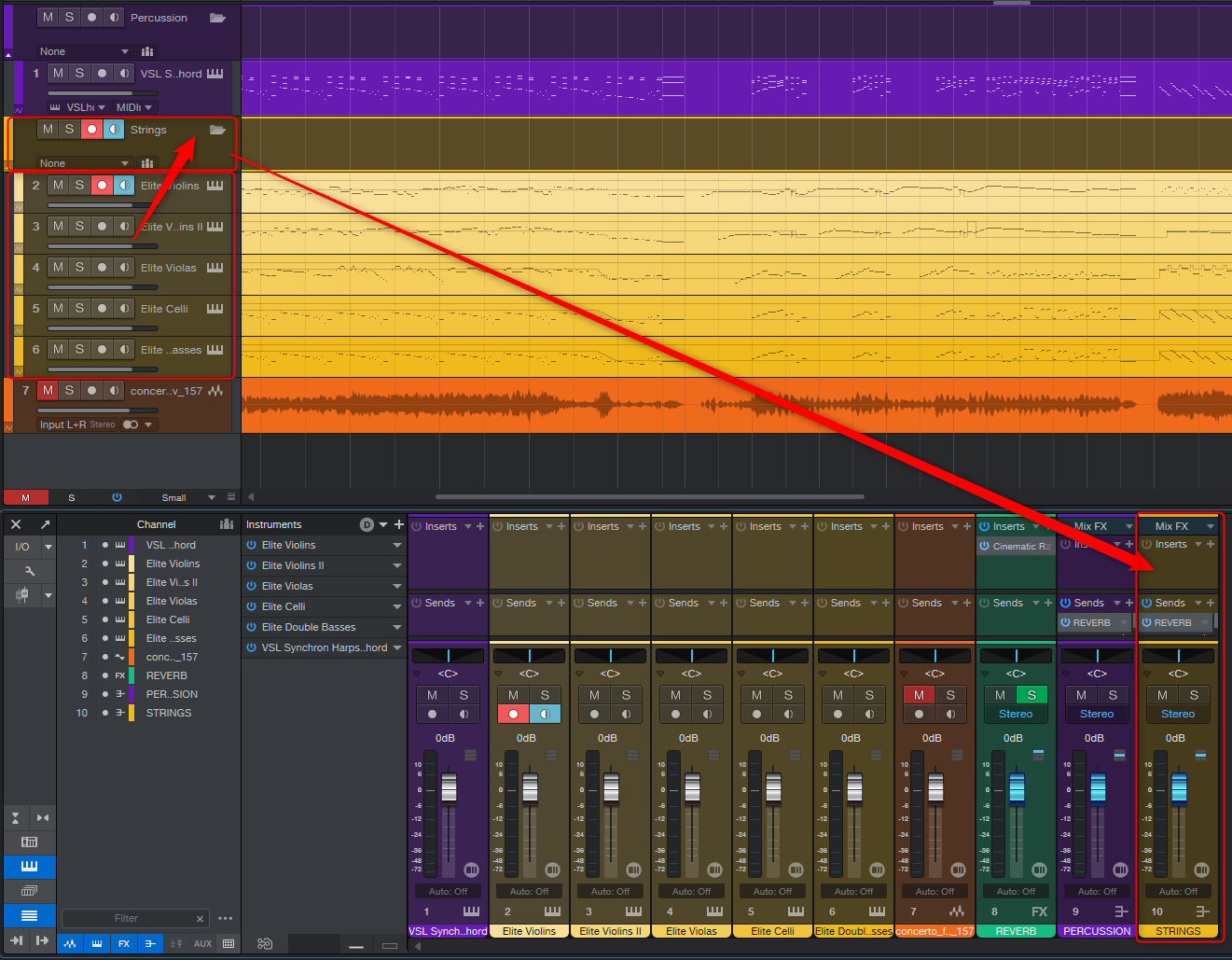
- Group Woodwinds, Group Brass, Group Percussion, Group Strings — Instantly organizes, color-codes, and routes all the tracks belonging to that orchestral section, keeping a large template tidy with a single click.
- Set Reference Track and Toggle Solo Reference/Current — Lets you quickly switch between soloing a chosen "reference" track and whichever track you're currently working on, for comparing balance and timbre while orchestrating.